The Pinterest consistency problem (and the fix)
Pinterest rewards accounts that pin consistently. The algorithm favors fresh pins, steady volume, and regular activity. Everyone knows this. Almost nobody does it, because opening Pinterest every single day to design, write, and schedule pins is a chore that dies within two weeks.
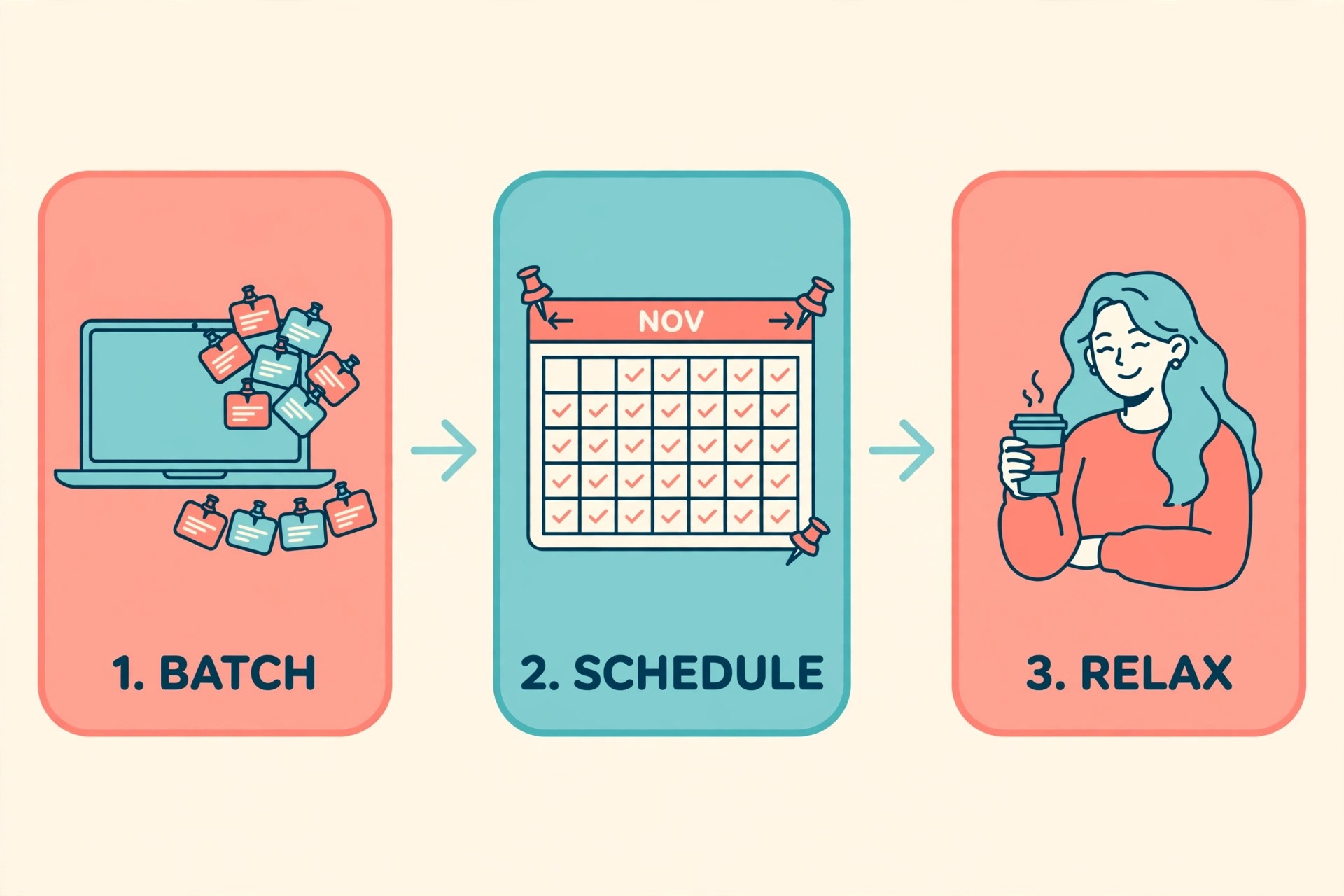
I prefer tools that turn a recurring chore into a single session. That is what batching is: instead of pinning daily, you create a whole month of pins in one sitting, schedule them out, and do not think about Pinterest again until next month. Pin Generator is built exactly for this workflow.
Disclosure: This post contains affiliate links. If you purchase through them, I may earn a commission at no extra cost to you.
What is Pin Generator?
Pin Generator is a Pinterest-only automation tool that creates and schedules pins for you. You give it a website URL, a blog post, or an Etsy or Shopify product page, and it pulls the images and text, writes titles and descriptions with AI, designs the pins using templates, and queues them to publish on your schedule.
It is made by a US-based company founded in 2021, and it focuses on one thing: getting a high volume of decent pins out the door with minimal manual work. No multi-platform juggling, no bloated social suite. Pinterest, start to finish.
The problem it solves
There are really two bottlenecks that kill Pinterest consistency:
- Design time. Making 30 pins in Canva, one by one, takes hours. Most people batch maybe five and then stop.
- Copy time. Every pin needs a keyword-aware title and description. Writing 30 of them by hand is the part nobody enjoys.
Pin Generator attacks both at once. The templates handle design, the AI writer handles copy, and bulk scheduling handles distribution. Your job shrinks to reviewing, tweaking, and hitting schedule.
Key features
Auto pin creation from any URL. Paste a blog post or product URL and Pin Generator extracts the images and key text, then builds multiple pin variations from that one page. One strong article can become five or ten pins without you touching a design tool.
AI writer for titles and descriptions. Each generated pin gets a suggested title and description. They are drafts, not final copy, and you should edit them, especially to add your keywords. But starting from a draft beats starting from a blank box every time.
Templates and Canva import. You can design pins from the built-in template library or import your own Canva designs so everything stays on brand. If you already have a look you like, you do not have to abandon it.
Bulk scheduling. This is the feature the whole batching workflow depends on. Queue dozens of pins, spread them across boards and days, and the tool publishes them for you. On the paid plans you can schedule anywhere from a few pins a day up to 60-80 a day on the top tier.
Keyword research and trend alerts. On the higher plans you get keyword suggestions and trend alerts, so the pins you batch are aimed at terms people are actually searching for, not just terms you hope they search.
Who it is for (and who should skip it)
This is for you if: you run a blog, an Etsy shop, or any content site and you want Pinterest traffic without a daily pinning habit. It is especially useful if you already have a backlog of content and just need that content turned into pins at scale.
Skip it if: you pin casually and a few pins a week is plenty, in which case the free tier or manual pinning is fine. Also skip it if you need deep analytics, advanced scheduling logic, or multi-platform posting. Tools like Tailwind cover that broader territory. Pin Generator wins on creation speed, not on analytics depth.
Pricing snapshot (as of September 2026)
Pin Generator runs on a credit-based system: paid plans include a monthly credit allowance, and features like pin generation and AI tools consume credits.
- Free tier: lets you test the basics. No scheduling on the free tier, so treat it as a trial of the creation tools.
- Starter: around $8.50/month billed annually (about $19 month to month) for 200 credits a month and roughly 3-6 scheduled pins a day.
- Pro: around $15/month for 1,000 credits a month and roughly 15-30 pins a day, plus the AI image generator, trend alerts, Canva import, and keyword research.
- Growth: around $25/month for 4,000 credits a month and roughly 60-80 pins a day.
Annual billing cuts the monthly price roughly in half. Pricing changes, so confirm the current numbers on their pricing page before you commit.
Start with the free tier on five of your best pages: try Pin Generator free here.
How to get started: the one-afternoon workflow
Here is the monthly batching session, step by step:
- Connect your Pinterest account and add your site. Link your blog, Etsy shop, or Shopify store so the tool can pull from your URLs.
- Pick your source pages. Choose 5-10 of your best existing pages or products. Strong existing content makes strong pins; do not batch thin pages.
- Generate the pins. Let the tool create multiple pin variations per page. For a 30-pin month, that is roughly 3 pins each from 10 pages.
- Review and edit. Read every AI-written title and description. Fix keywords, fix anything that sounds off, and make sure each pin links to the right page. This is the highest-value 30 minutes of the session.
- Bulk schedule across 30 days. Spread the pins at 1-2 per day across your most relevant boards. Hit schedule, and you are done until next month.
The honest math: 30 pins is one pin a day for a month. Generating that many from content you already have is exactly what the tool is designed to do in a single sitting.
Final verdict
Pin Generator does one job well: it turns the slowest parts of Pinterest marketing, design and copy, into a review-and-approve workflow instead of a create-from-scratch one. If your bottleneck is consistency, batching a month of pins in one afternoon is a genuine fix. If your bottleneck is strategy or analytics, pair it with something else or pick a different tool.
The free tier is enough to see whether the generated pins are good enough for your brand. Try it on five pages before you pay for anything.
Quick heads-up: the link below is an affiliate link, so I may earn a commission if you sign up. It costs you nothing extra.
Try the batching workflow
If you want to test the one-afternoon system, start here: Try Pin Generator free here
Generate a batch from your best pages, review the AI copy, schedule 30 days out, and see how it feels to not think about Pinterest for a month.

Pin this post: 30 days of content, one afternoon.


Leave a Reply